Reserve Meetings
You can reserve an ad hoc meeting when the RX-PANEL LED is green.
| ➢ | To reserve an ad hoc meeting: |
| 1. | Activate RX-PANEL. |
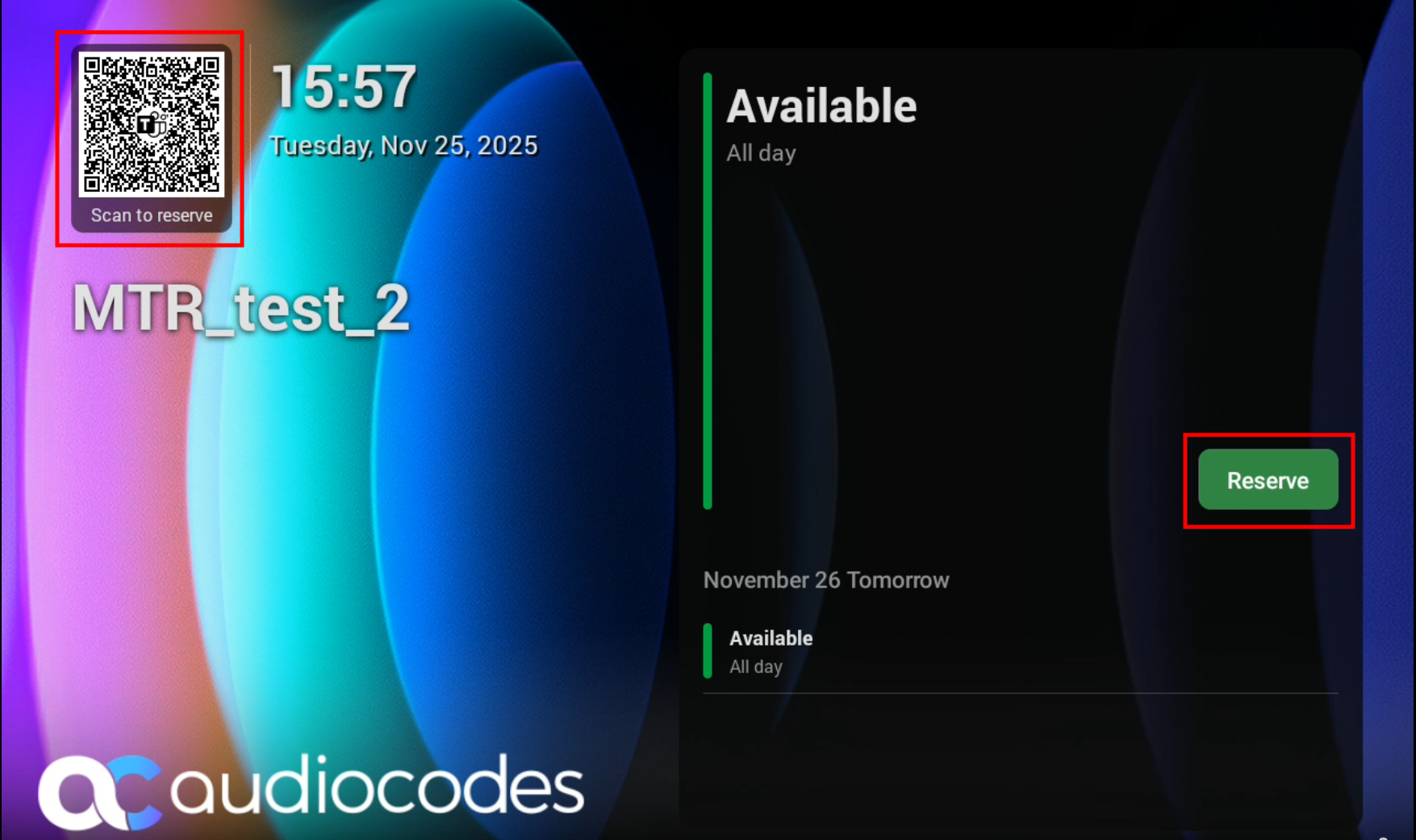
| 2. | Do either of the following: |
| ● | Scan the QR Code in the home screen (see theMicrosoft Teams documentation on reserving rooms with a QR code). |
This feature is enabled by default and can be disabled under Device settings > Admin settings > Meetings.
| ● | Tap Reserve (only if RX-PANEL is paired with an MTRA device– RXV81 or RXV200). |
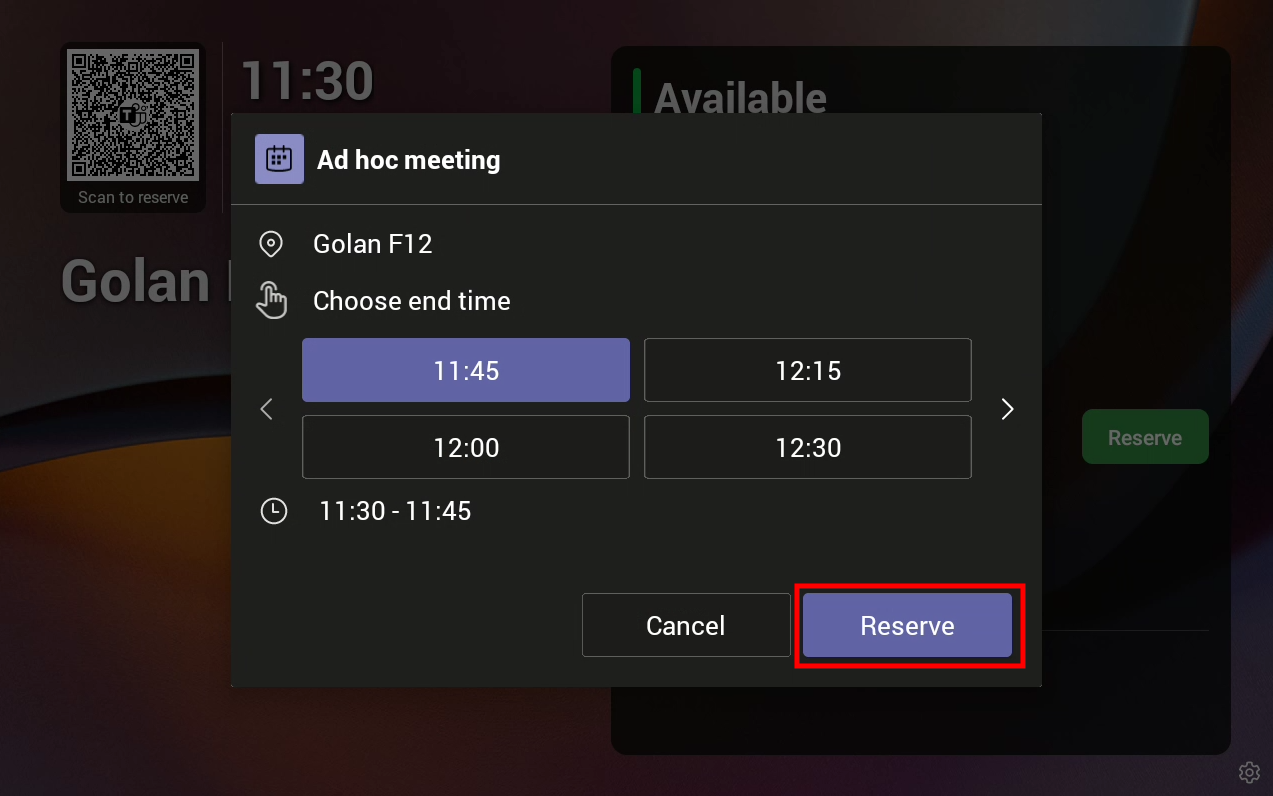
Tap < or > to navigate to the end time, then tap Reserve.